Thorn Frame
Draws mirrored tribal thorns around a ring or rectangle, as liquid chrome or flat neon, over your picture or a clean background.
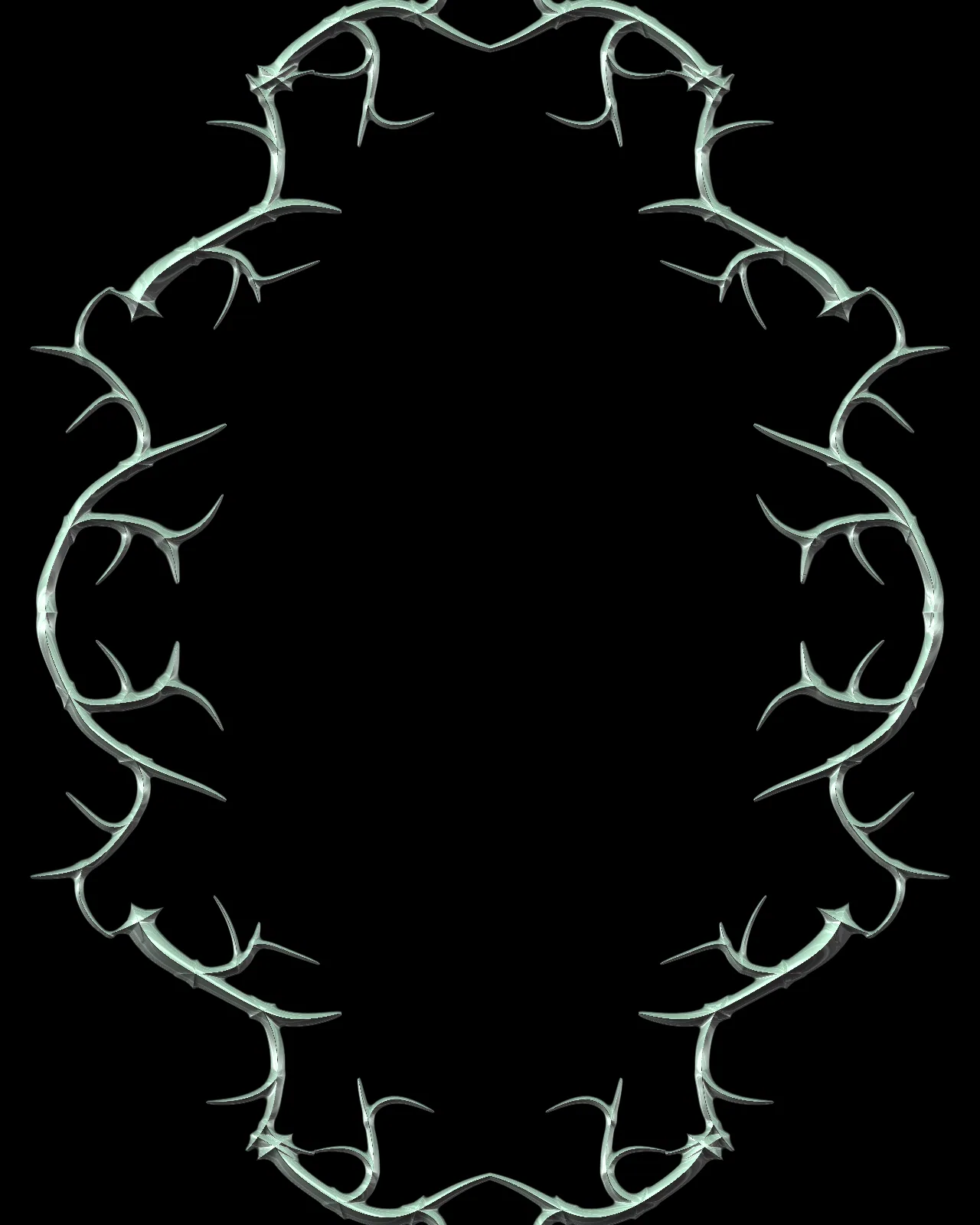
The thorn frame is a generator that grows mirrored tribal thorns around an oval or rectangle and melts them together. It draws its own pattern, so it sits over any picture when Transparent is on. You can change the frame shape, symmetry, thorn length and curl, and switch between chrome and flat neon.
Use Thorn Frame in Photoshop, After Effects, Illustrator, Affinity or Figma
The plugins are free with an account. Paid plans add bigger renders and your own filters. See pricing
Photoshop
Apply it as a Smart Filter on a Smart Object, then double-click to change it.
After Effects
Drop it on any layer as a native effect and keyframe every control on the timeline.
Illustrator
Use a selection as the source and get back native vector paths or an embedded image.
Affinity
Open Filters > Plugins > Nexus, pick the look and apply it to a pixel layer.
Figma
Select a frame or image, run the look, and the result drops back into your file.
Settings worth touching
- Style
- Chrome lights the thorns as beveled liquid metal. Flat turns them into neon with a colored fill, an outline and optional cracks.
- Symmetry
- Choose None, Mirror X, Mirror XY or Radial to set how the thorns repeat around the frame. Radial count sets the number of folds.
- Growth
- Sets how far the thorns have grown, from a bare frame to full branches. Keyframe it to animate the frame growing in.
Frequently asked questions
How do I make a y2k tribal frame in Photoshop?
Apply Thorn Frame as a Smart Filter on a Smart Object, or render it as a new layer. Turn on Transparent to place the thorns over your artwork below.
Can I animate chrome thorns in After Effects?
Yes. Drop the look on a layer as a native effect and keyframe any control, such as Growth, Curl or Light angle, to move the thorns over time.
Does the thorn frame give vector output in Illustrator or Figma?
No. The look renders pixels only, so Illustrator and Figma receive the result as an embedded image rather than as vector paths.
Can I make a tribal border that is rectangular?
Yes. Raise Oval to rect toward 1 for a rectangle, use Corner radius to round its corners, and use Aspect to make the frame wider or taller.
Can I change the chrome colors?
Yes. The look starts as pale green chrome on black. Metal light and Metal dark set the chrome tones, and Background sets the backdrop color when Transparent is off.



Try Thorn Frame in your browser
Free to try. Exporting needs a free account.