Gradient Grid Background
Fills the canvas with a grid of square tiles, each holding its own gradient, edged like glass and lit with a soft bloom.
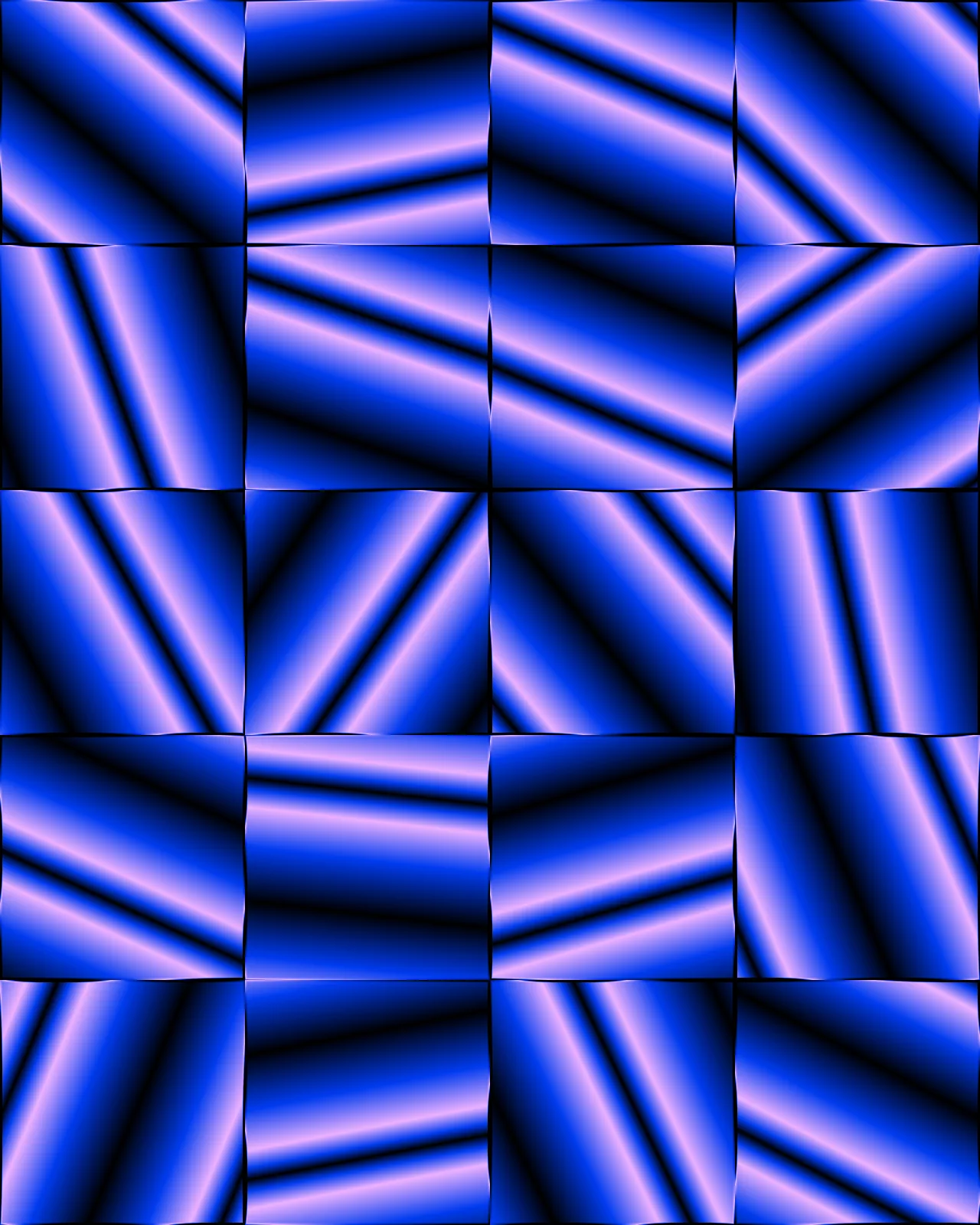
The gradient grid background is a generator, not a filter: it draws its own pattern and ignores the picture underneath. Each cell holds a linear, radial, diamond or one-way gradient spreading from its center, split by glass edges. The palette starts in blue, black and violet. You can change it, plus columns, twist and bloom.
Use Gradient Grid Background in Photoshop, After Effects, Illustrator, Affinity or Figma
The plugins are free with an account. Paid plans add bigger renders and your own filters. See pricing
Photoshop
Apply it as a Smart Filter on a Smart Object, then double-click to change it.
After Effects
Drop it on any layer as a native effect and keyframe every control on the timeline.
Illustrator
Use a selection as the source and get back native vector paths or an embedded image.
Affinity
Open Filters > Plugins > Nexus, pick the look and apply it to a pixel layer.
Figma
Select a frame or image, run the look, and the result drops back into your file.
Settings worth touching
- Columns
- Sets how many cells run across the canvas, from one large tile up to eight small ones.
- Gradient Type
- Switches every cell between Linear, Radial, Diamond and One-Way Linear gradients, turning straight bands into rings or diamond shapes.
- Glass Edge Width
- Sets how wide the glassy seams between cells are, from fine hairlines to broad beveled borders.
Frequently asked questions
How do I make a gradient grid background in Illustrator?
Use Nexus for Illustrator: select something as the source, run the look, and the grid lands in your file as an embedded image. This look has no vector version, so it stays pixels.
How do I add the gradient grid background in Photoshop?
With Nexus for Photoshop, render it as a new layer or apply it as a Smart Filter on a Smart Object. Double-click the Smart Filter later to change any setting.
Is this the same as a gradient mesh background?
No. A gradient mesh blends colors across a warped mesh. This look tiles square cells, each with its own gradient spreading from the center, split by glass edges. The output is pixels.
Does the effect use my photo?
No. It is a generator that draws its own grid and ignores whatever is underneath, so any layer or a blank canvas gives the same pattern for the same settings.
Can I try the grid gradient background for free?
Yes. Open the look in the Nexus web editor without an account. Exporting needs a free account, which exports images up to 720px and video up to 720px with the Nexus mark. The plugins are free with a Nexus account.



Try Gradient Grid Background in your browser
Free to try. Exporting needs a free account.